
Scan to Download
App Introduction
Family Link parental controls is the companion app to Family Link for parents. Install this version only on a device used by a child or teen. Designed for modern families, this tool helps you set digital ground rules from your own phone while supporting online learning, safe screen time management for kids, and everyday digital well-being. It also includes essentials parents often search for, like the best parental control app for Android and mobile parenting safety tools.
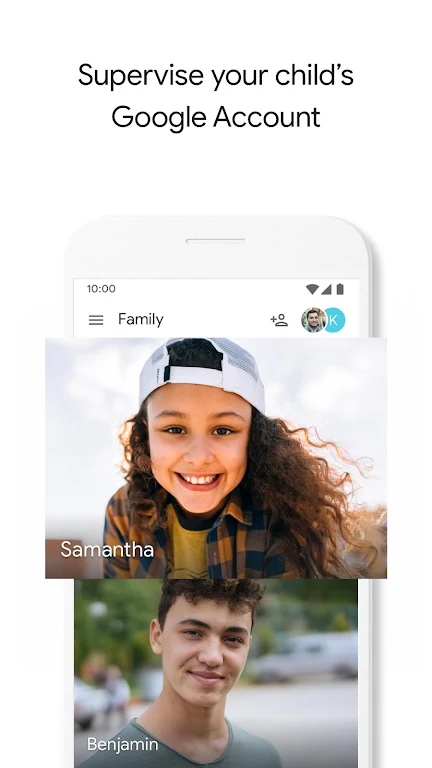
For children under 13 (or the applicable age of consent in your country), you can create a supervised Google Account with access to most Google services—helping them explore the internet responsibly as they learn, play, and grow.
What you can do with Family Link parental controls:
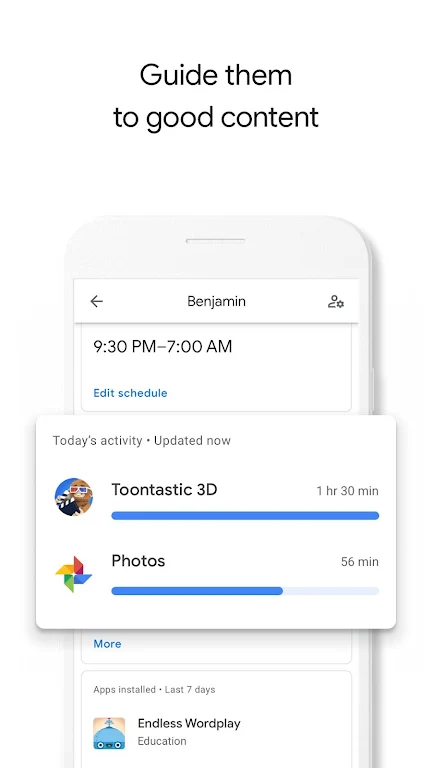
Guide them to good content
• View app activity – Activity reports show daily, weekly, or monthly app usage, helping you understand how your child spends screen time and make healthier decisions together.
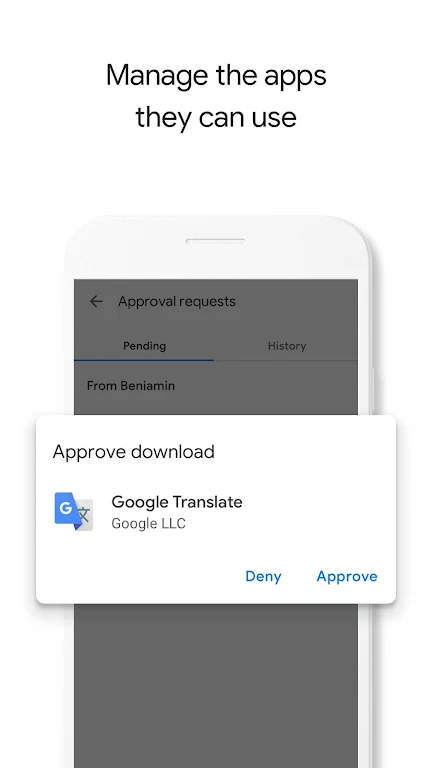
• Manage their apps – Approve or block Google Play Store downloads, control in-app purchases, and hide apps remotely from your own device.
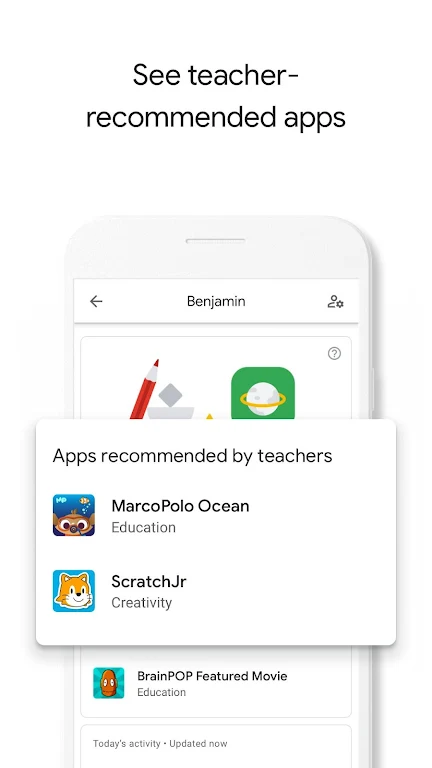
• Feed their curiosity – Discover teacher-recommended apps on Android to easily add safe, age-appropriate options to their device, supporting better digital learning at home.
Keep an eye on screen time
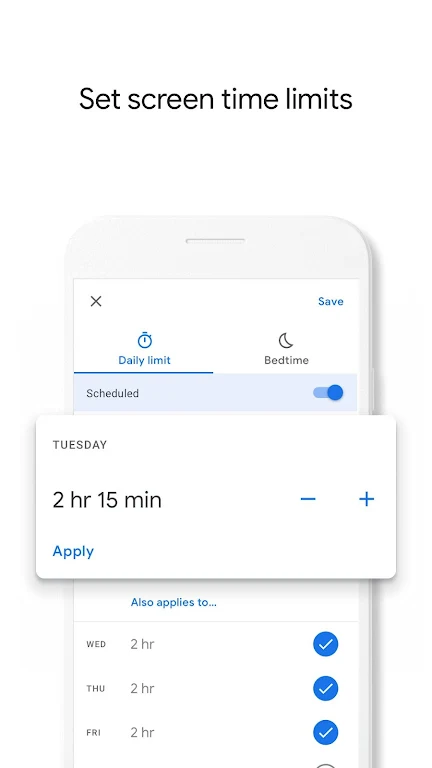
• Set limits – Decide the right amount of screen time by setting daily limits and device bedtimes across supervised devices.
• Lock their device – Remotely lock a supervised device when it’s time for a break, family time, homework, or offline activities.
See where they are
• Locate your child on the go as long as their device is powered on, recently active, and connected to the internet—ideal for busy families and everyday check-ins.
Important Information
• Features vary by device. See compatible device information at families.google.com/familylink/setup
• Kids do not need approval for app updates, previously approved apps, or Family Library-shared apps. Review installed apps and permissions regularly.
• Review and disable any apps you don’t want your child using. Some pre-installed apps cannot be disabled.
• Location requires an active, powered-on, internet-connected device.
• Teacher-recommended apps are available only on US Android devices for parents of children of specific ages.
• Family Link offers tools to help manage your child’s online experience, but it does not make the internet safe. It empowers parents to shape healthy digital habits and encourage conversations about online use.
App Size: 3 MBApp Version: 1.135.0.2025w42.819242325.trampoline
System Requirements: AndroidUpdate Time: 2025-12-20
Language: ENDeveloper: Google LLC


Rec Apps

HealthTotal 279 Apps



news
Pokémon Go welcomes Hisuian Lilligant to the fray on an exclusive Raid Day later this month
12-26Street Patrol Command lets you patrol the borders as a rookie cop in the 80s, coming soon to iOS
12-26Fruit Ninja Classic+ carries forward its Bluey crossover with the Sticky Gecko event
12-26PurrbitPop offers fast-paced match-3 madness with a shapeshifting twist, out now on iOS
12-26Angry Birds Bounce is out now on Apple Arcade, bringing brick-breaking action to the classic series
12-26Torerowa opens pre-registration for the isometric extraction hack 'n slash
12-26Play Together lets you bring back the prehistoric era in this massive dino-filled update
12-26Wrathbound Interactive has opened pre-registration for its high-octane, sci-fi racer, CYGRAM
12-26Mo.co is now available to play worldwide so you can ditch the invite-only FOMO
12-26Marvel Contest of Champions launches Fantastic Four-themed content to hype up the upcoming film'
12-26
Hot Apps


-
1
-
2
Robot Subdolous Ireful Inbreak
Action -
3
Heroes vs Hordes: Survivor RPG
Adventure -
4
Ramon World Adventure Free
Adventure -
5
Flying Ball
Adventure -
6
Witch and Council : Idle RPG
Adventure -
7
Mimpi Dreams
Adventure -
8
archer escape
Adventure -
9
Shadow Fight 2
Action -
10
Police Car Chase - Cop Games
Action


Hot Categories
- All
- Tools
- Entertainment
- Communication
- Social
- Music & Audio
- Photography
- Video Players
- Personalization
- Productivity
- Sports
- Education
- Lifestyle
- Books & Reference
- Shopping
- Business
- Health & Fitness
- Travel & Local
- Food & Drink
- Maps & Navigation
- Beauty
- Comics
- Dating
- Events
- News & Magazines
- Weather
- House & Home
- Libraries & Demo
- Medical
- Parenting
- Art & Design
- Auto & Vehicles